

AI workflow automation
Connected tools, approval steps and monitoring
Reduce repeated handoffs between the systems your team already uses. We map the workflow, build integrations in n8n or Make, add suitable AI steps and agree approvals, error handling and monitoring.
Starting from USD 1,499/projectFinal scope and price agreed before work starts.
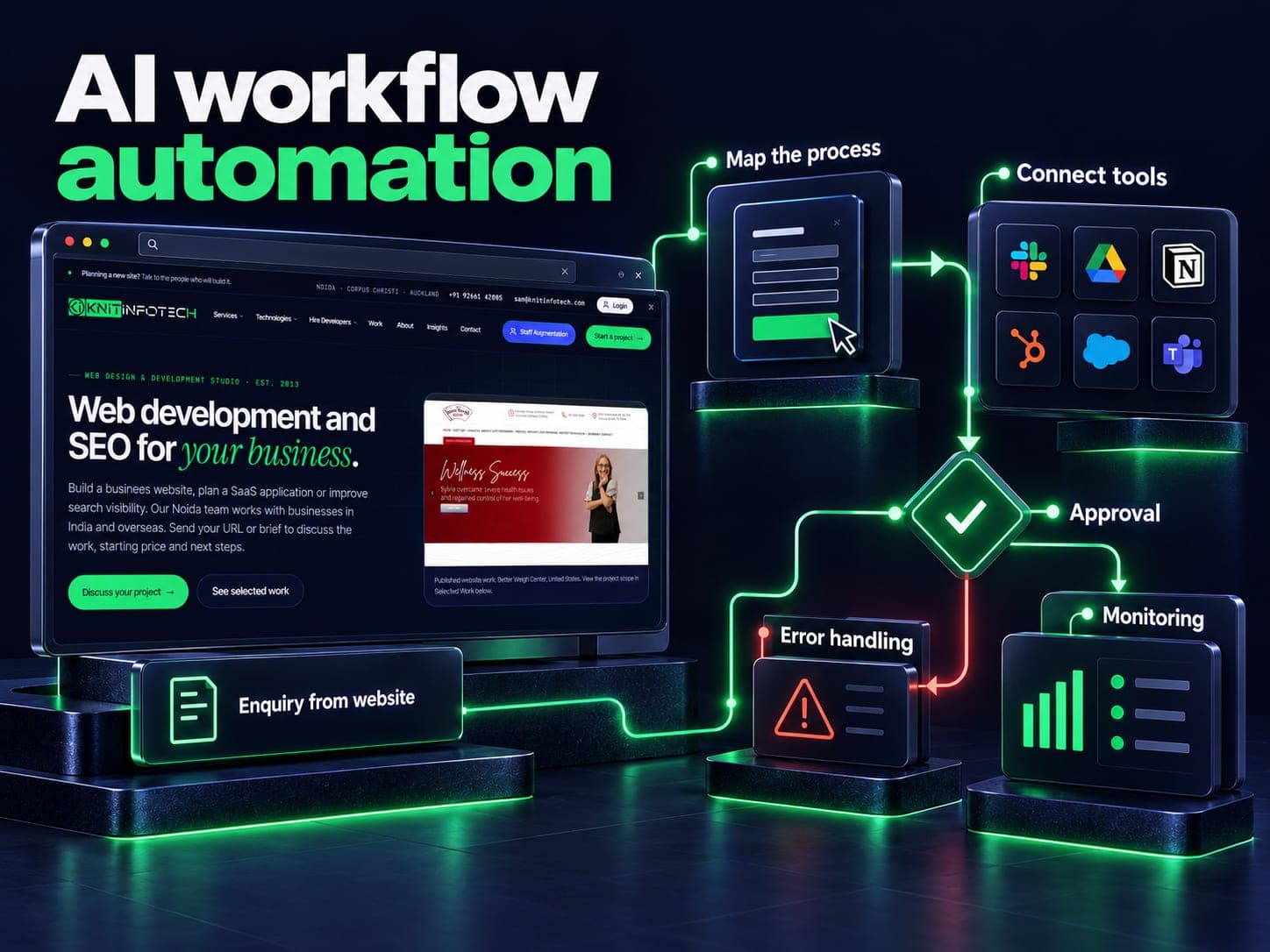
Follow one task through the systems it touches
A useful first workflow has a clear trigger and an owner. It might begin with an incoming enquiry, a supplier document or a status change in a CRM. Map the fields, decisions and handoffs before choosing n8n, Make or a custom integration.
Use ordinary rules where the answer is exact. An AI step may help classify a message or prepare a draft, but the result still needs validation and appropriate approval. Do not let a generated response decide permissions, prices or an irreversible business action on its own.
Plan the failure path with the happy path
For example, a supplier invoice could enter a review queue after its fields are extracted. Missing totals, an unfamiliar supplier or a duplicate reference should send it to the responsible person. This is an illustrative workflow, not a claim about a delivered financial system.
The build scope covers supported integrations, retries, duplicate handling, alerts and a way to pause the workflow. Hosting, licences, usage and ongoing maintenance have their own costs, including on a self-hosted system. A readiness audit can establish whether the task is suitable before a build.
Leave a workflow someone can operate
Agree the runbook, credential ownership, monitoring and review responsibilities. Compare actual time spent and error rates with the starting baseline, including the human review still required. CRM and WhatsApp agents cover customer-facing handoffs; the AI and automation hub helps compare the wider scopes.
Related reading: WhatsApp or CRM agent.
What automation includes
Automation audit
The tasks worth automating, ranked by hours saved per month, alongside the ones that should stay in human hands and why.
n8n / Make builds
Workflows with retries, error branches and alerting, documented well enough for somebody else to maintain them.
AI steps
Classification, field extraction, summarising and drafting inside the flow, with an approval gate before anything leaves the building.
CRM & WhatsApp flows
HubSpot, Zoho, Salesforce and WhatsApp Business connected, with the deduplication rules that stop three records appearing per lead.
Explore →Zapier migration
Rebuilt in self-hosted n8n, usually in fewer steps, which ends the per-task bill that grows every time business improves.
Monitoring & review
Run logs you can read, failure alerts to both sides, and a monthly session on what to build next.
How a workflow gets built
Shadow the taskweek 1
We watch somebody do the job once, end to end, because the written process and the real one are never quite the same.
Map & costweeks 1–2
The flow drawn out with its edge cases, an estimate of hours saved per month, and what it will cost to build and to run.
Buildweeks 2–5
Workflow built with error handling from the start, running alongside the manual process rather than replacing it on day one.
Run in parallelweeks 5–7
Two weeks of the automation and the person doing the same work, comparing outputs, until the differences are boring.
Hand overongoing
Documentation, alerting to your inbox as well as ours, and a monthly review of runs, failures and the next candidate.
Starting from USD 1,499/project
One agreed workflow with integrations, approval rules, error handling and handover. Further workflows, monitoring and third-party usage are separate.
Automation, answered
What kinds of work can be automated?
Anything that follows rules and touches systems with an API: lead routing, quoting from a price list, CRM updates, invoice reminders, report assembly, onboarding sequences. The audit lists yours with hours attached, in your own vocabulary.
Why do you use n8n rather than Zapier?
Because n8n can be self-hosted, so the bill does not rise every time your volume does. It also has hundreds of integrations and a code node for the cases nothing covers. We host it for you or put it on your own server, and either way you keep the flows.
Where does the AI part actually fit?
In the steps that need judgement rather than logic. Reading an email and deciding what it is about, extracting fields from a document whose layout keeps changing, drafting a reply for a person to approve. The rest of the workflow is ordinary, reliable plumbing.
What happens when a workflow fails?
It retries, then alerts both you and us with the data preserved so the run can be repeated once the cause is fixed. Silent failure is the real risk with automation, so every flow we build is noisy when something goes wrong.
How much does workflow automation cost?
Starting from USD 1,499/project. One agreed workflow with integrations, approval rules, error handling and handover. Further workflows, monitoring and third-party usage are separate. The written proposal confirms deliverables, exclusions, timeline and the final price before work starts. Hosting, licences, platform subscriptions and usage charges are separate where required.
Can you migrate our existing Zapier setup?
Yes, and it normally comes out smaller. Zaps accumulate steps that exist to work around Zapier rather than to do anything. We rebuild in n8n, test both in parallel, and switch once the outputs match.
Which task would you like to automate?
Name the task, the systems it touches and what happens when it fails. We can agree a review scope and fees before accessing your workflow.