

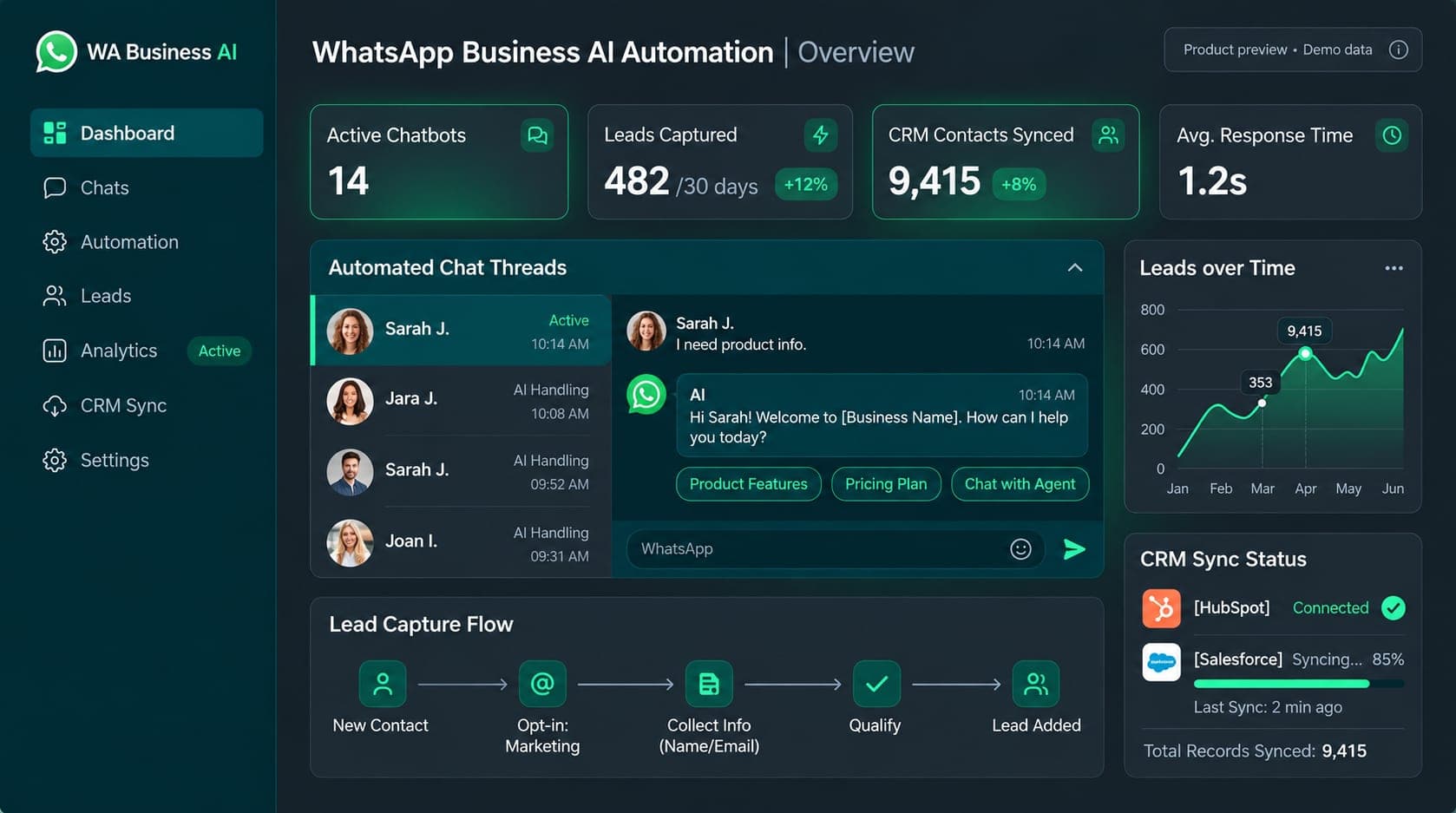
WhatsApp Business Automation
An illustrated WhatsApp business workflow covering customer replies, product menus, lead qualification, CRM updates, reminders and team handoff.
Product preview. Dashboard figures are demo data.
Web & App · 10
Search & Paid · 10
Growth & Social · 7
AI & AutomationNEW
Share your website URL and priorities. We review the details, share audit findings and then discuss next steps.
Frontend
Backend
Cloud & DevOps
CMS & Ecommerce
CRM & ERP
AI & Data
Developer rates start at USD 18/hour. Python, native mobile, Flutter, CRM and Shopify roles start at USD 22/hour. Review profiles and confirm the final scope and fee.
Northeast & Atlantic
Midwest & Great Lakes
Vetted software engineers, React and Next.js developers, Python and AI engineers with genuine US timezone overlap.
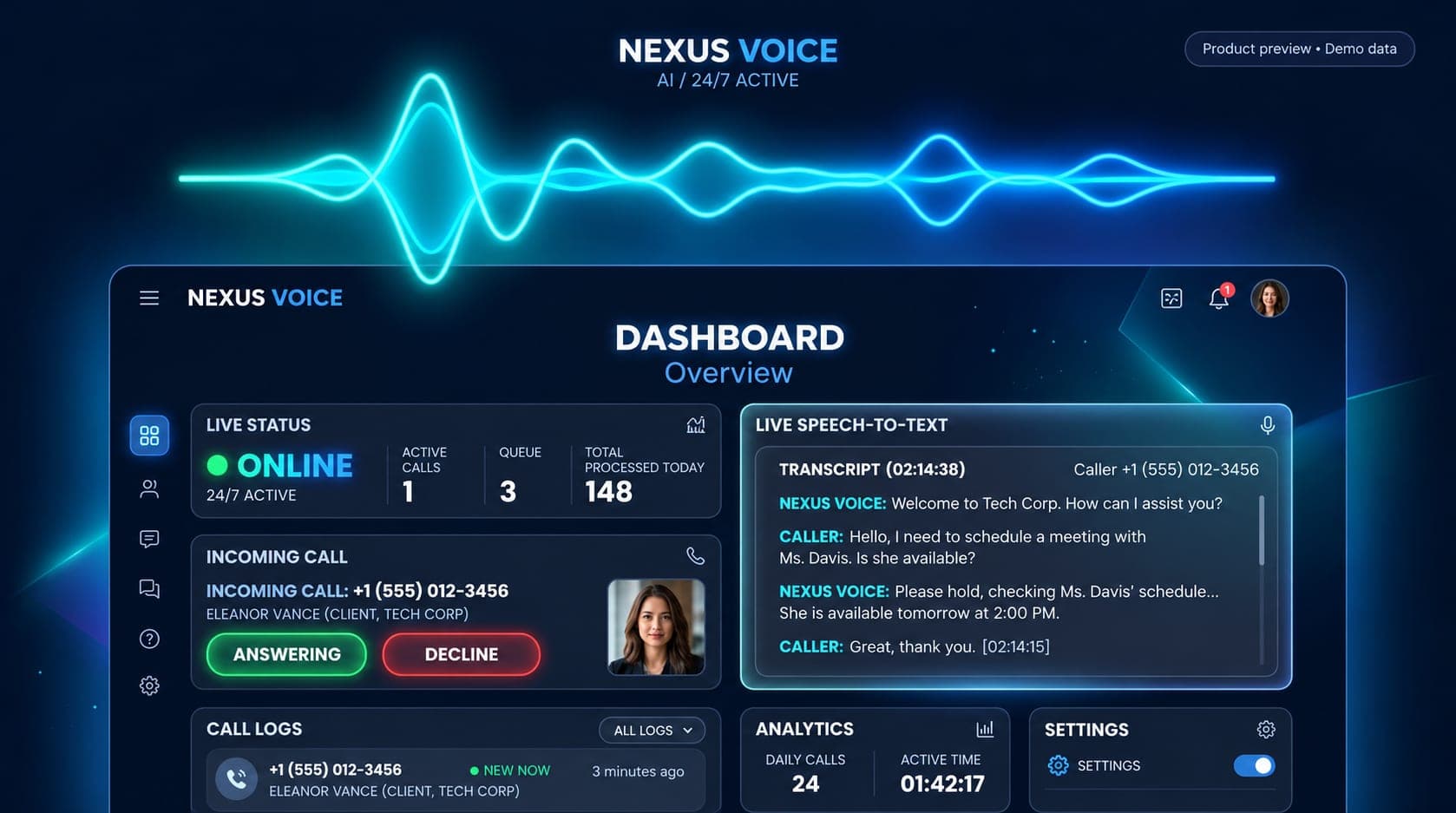
AI voice assistance
A voice receptionist for customer calls, business questions, appointment booking and urgent-call handoff. Try the public US phone demo.

Product preview. Dashboard figures are demo data.
A prospective customer may call while the team is busy, outside office hours or while another call is already in progress. The receptionist needs to answer routine questions, understand the reason for calling and help the caller reach the right next step. Appointment enquiries and urgent requests need different handling, with a clear route to a person when required.
The product combines a conversational voice assistant with business information, telephone routing and calendar or CRM connections. Its knowledge can cover services, pricing, opening hours, team members and frequently asked questions. Visitors can speak with the assistant directly on the public inbound demo line.
For a business deployment, the call flow, knowledge, escalation rules and connected accounts are configured for that business. Google Calendar, Calendly or a CRM can support the booking flow where the agreed integration is enabled. An existing office number can forward calls to the assistant, or the setup can use a dedicated virtual line.
The product can be configured for different countries and business workflows. Available numbers, integrations, call handling and notification destinations are confirmed for each deployment.
The public inbound test number is +1 (775) 877-4258, a US phone line. Call the AI receptionist from a phone, or dial the number manually.
The shared demo demonstrates a sample assistant. Your own business information, calendar, phone routing and escalation contacts are configured separately. For a walkthrough of transcripts, notifications and connected systems, request a tailored demonstration.
A publicly listed phone demo is available on the product’s US test line. The dashboard uses demo data. Business-specific features depend on the configured integrations and call flow.
Call +1 (775) 877-4258 to speak with the sample assistant. Try a normal business question, an appointment enquiry and a request for a human handoff. This is a US number.
The setup can connect a supported calendar or CRM and use a dedicated virtual number or forwarding from an existing office line. Confirm the required country, number arrangement, calendar access and booking rules when planning the deployment.
The agreed escalation flow can transfer a call to the nominated team member and send a conversation summary or transcript through the configured notification channel. Routing and availability are defined for the business.

An illustrated WhatsApp business workflow covering customer replies, product menus, lead qualification, CRM updates, reminders and team handoff.
Product preview. Dashboard figures are demo data.

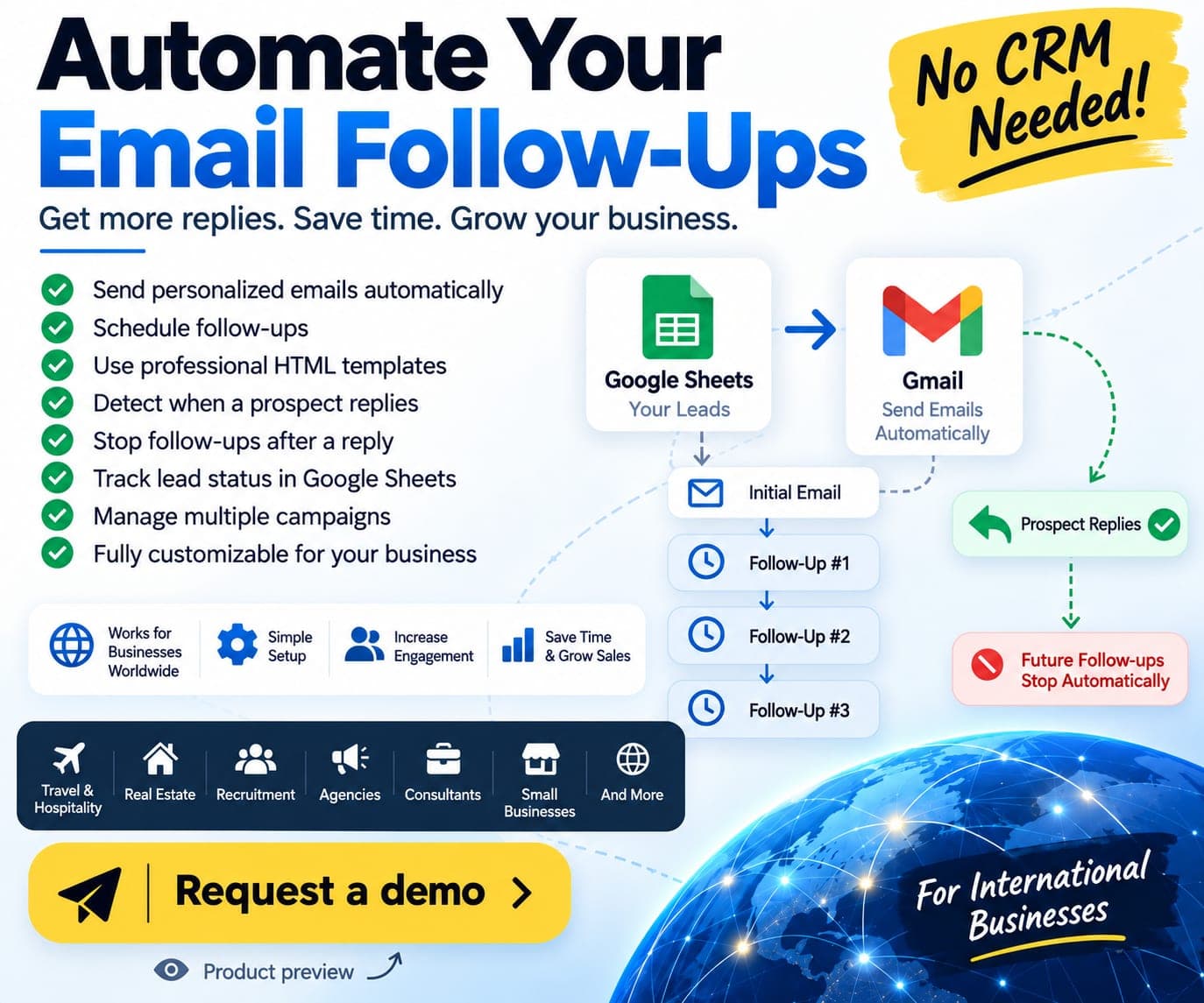
A Google Sheets and Gmail tool for personalised outreach, scheduled follow-ups, reply detection and an automatic stop after a prospect replies.
Product workflow preview. Any figures shown are demo data.
Tell us what you want to build or improve. We can walk you through relevant work and discuss the scope, budget and next steps.